2022
None
UX, UI, Product Design
UX/UI Designer
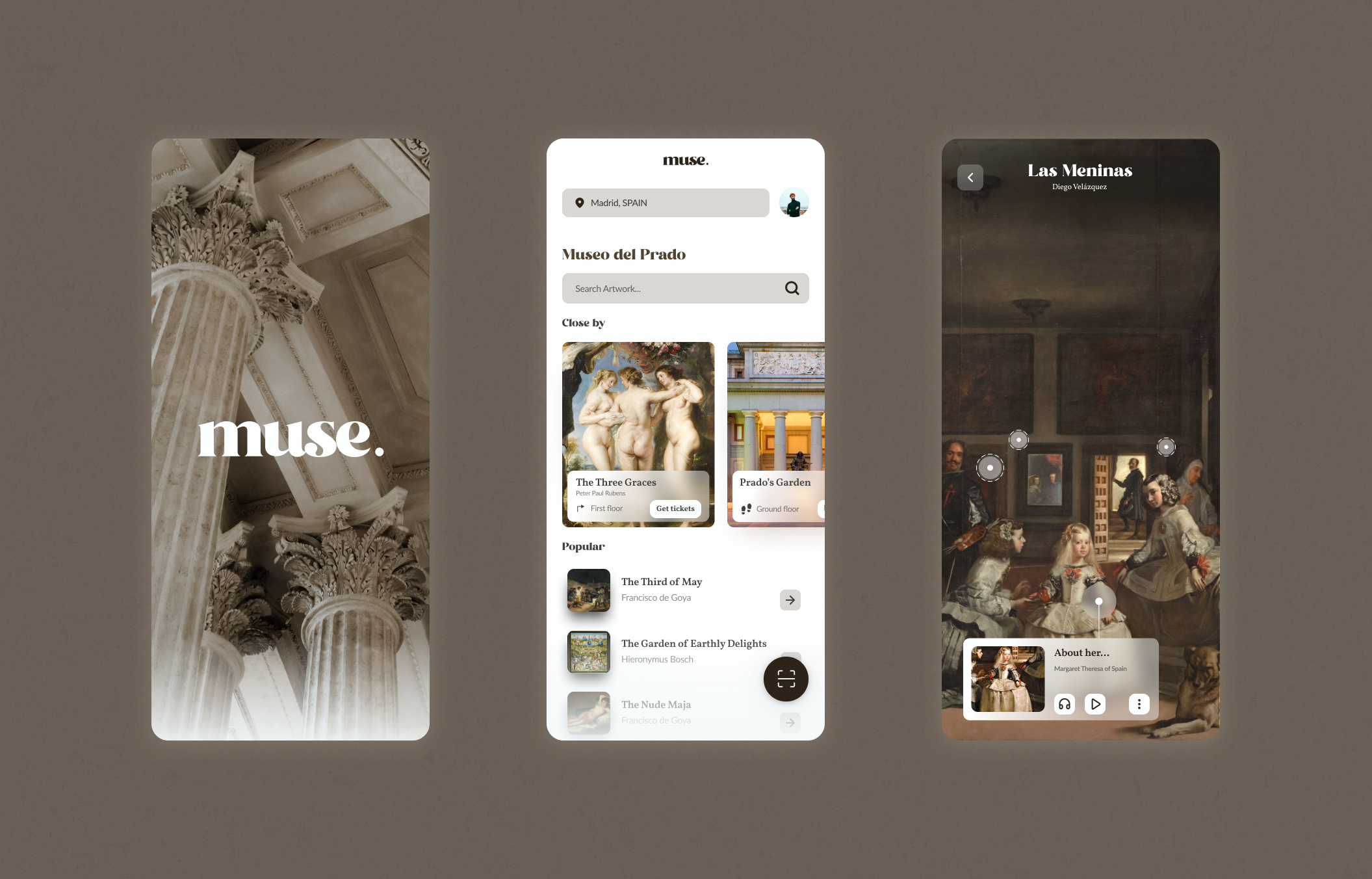
muse. was created out of the need to reinvent everyday ways of life in the aftermath of the pandemic. With the new rules, it is impossible to share audio guides in many museums, and in others, it is a major concern because of the contact between visitors. For this reason, muse. facilitates the tour with a wide range of content in the app so you can enjoy the experience without missing out on any detail.
An audio guide in a museum is like a mobile phone that is passed from hand to hand many times a day and whose use makes it necessary to bring it close to your face, either directly or through headphones. It can be deduced that hygienic precautions will always have affected the acceptance rate of audioguides and, consequently, also the volume of income that the museum obtains through their rental.
But in times of global pandemics such as the coronavirus, we are no longer talking about misgivings or a subjective feeling of disgust on the part of some visitors, but about a real health risk for which the museum is jointly responsible. Most audioguided devices have buttons and nooks and crannies that make it difficult to thoroughly sanitise the devices.
In this context of social alarm, the sanitisation of audioguide equipment must be so complex that in practice it may no longer be feasible.
Innovative audio guide system that works through each visitor's mobile device. The system also allows the guide to share different types of content in real-time. An easy way to enrich the visit that can be adapted to the needs of each visitor.

Idea, brand identity, research, UX and UI design
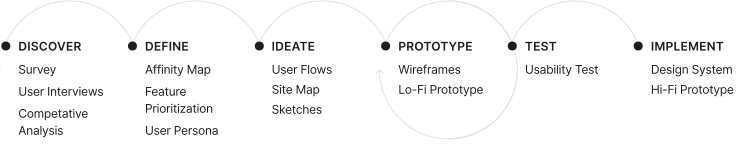
Initial research focused on better understanding users and venues’s needs related to solving the lack of the audioguided service and missing an important part of the whole interaction between both.
What products exist already to listen the special content at art venues?
How do users interact with existing products?
What are users current pain points with existing products?
Which features are essential to include in muse.?
A survey was conducted on 25 participants to identify which products or features are currently using. This will help to determine the needs of the user to improve the experience at art venues nowadays.






A series of in-depth interviews were then conducted on 7 participants to further identify pain points, frustrations, needs, and desires with existing products to determine how muse. could improve this experience.
75% have experienced a dramatic change in venues since the start of covid.
60% of respondents would not accept a museum-native device.
Some museums have launched their own apps that are not even valid for the rest of the venues in the city.
The smartphone is a tool that is always present in the interviewees' minds and that they would use to have a better experience.
90% of those interviewed do not usually go to museums alone. They also go to another city for tourist purposes.
Most museums have decided to dispense with the audio guide altogether because of covid limitations.
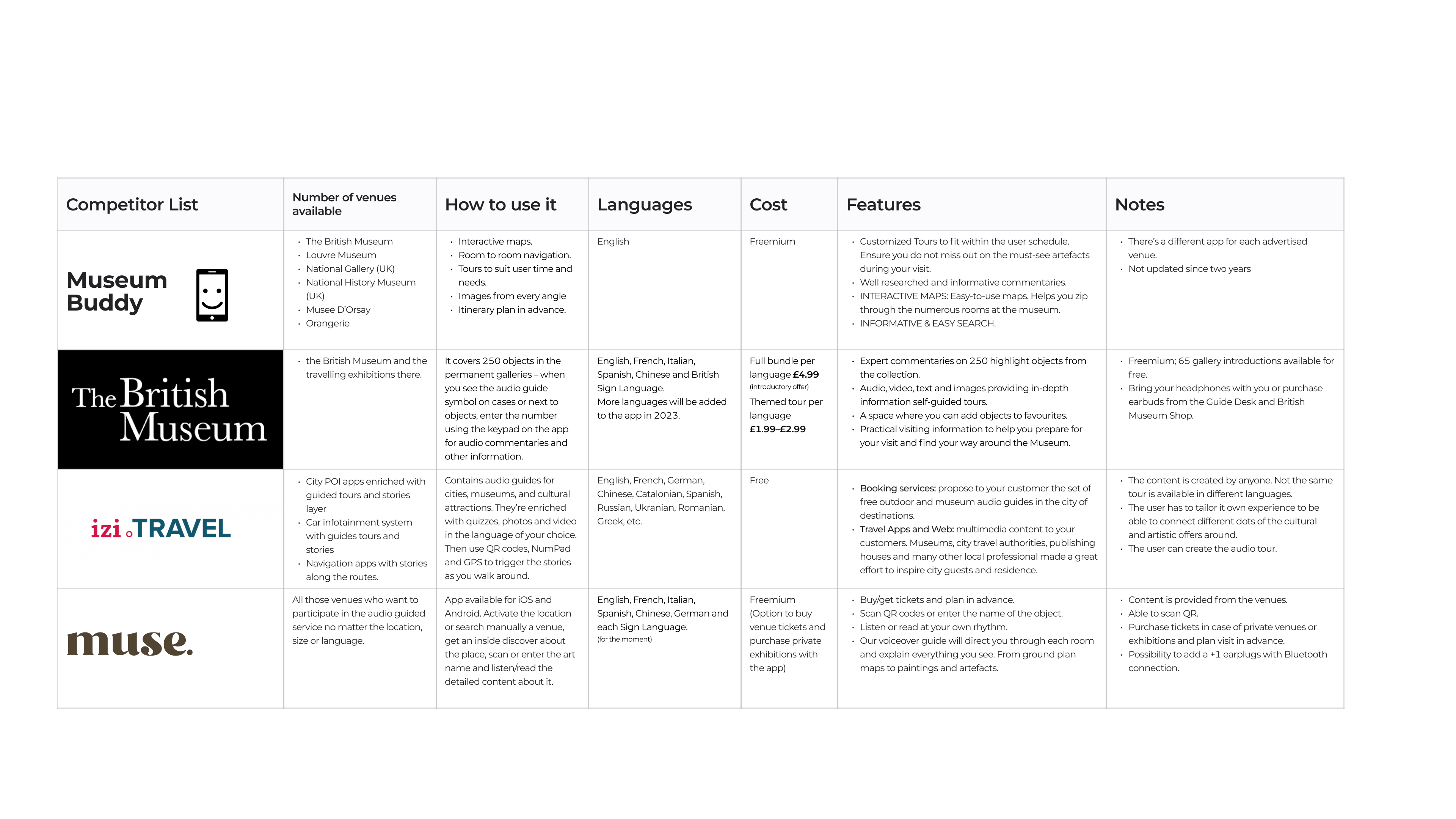
Competitive analysis was conducted to identify competitor's strengths and weaknesses to build a more complete and functional app filling the user needs.
After conducting user interviews, all the participants responses were synthesized to identity themes, opportunities, and features that muse. could focus and improve upon compared to other apps who offer a similar service.
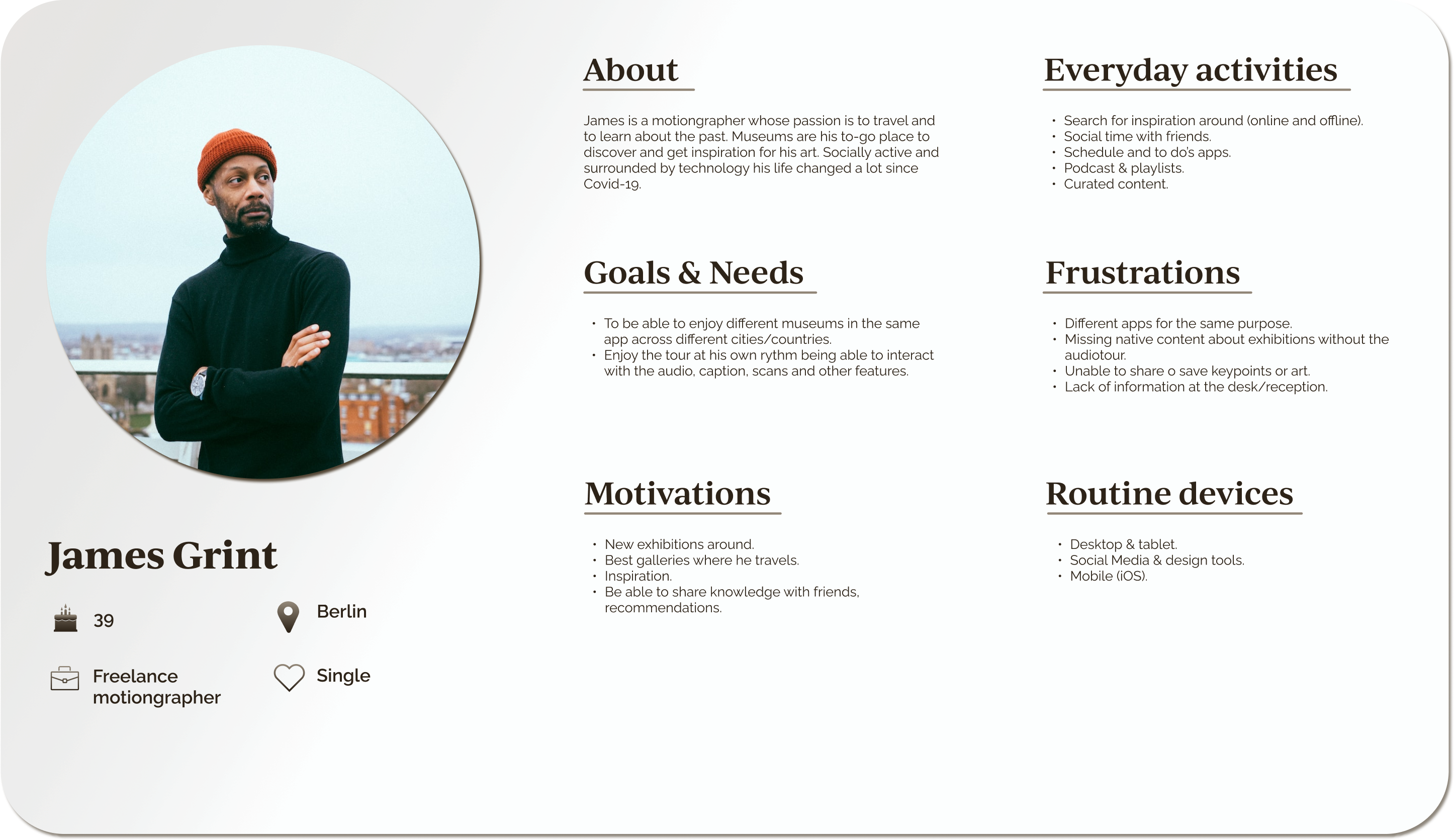
A persona was built based on the data collected to help drive decision making and keep the product focused on solving users pain points, frustrations, and goals.
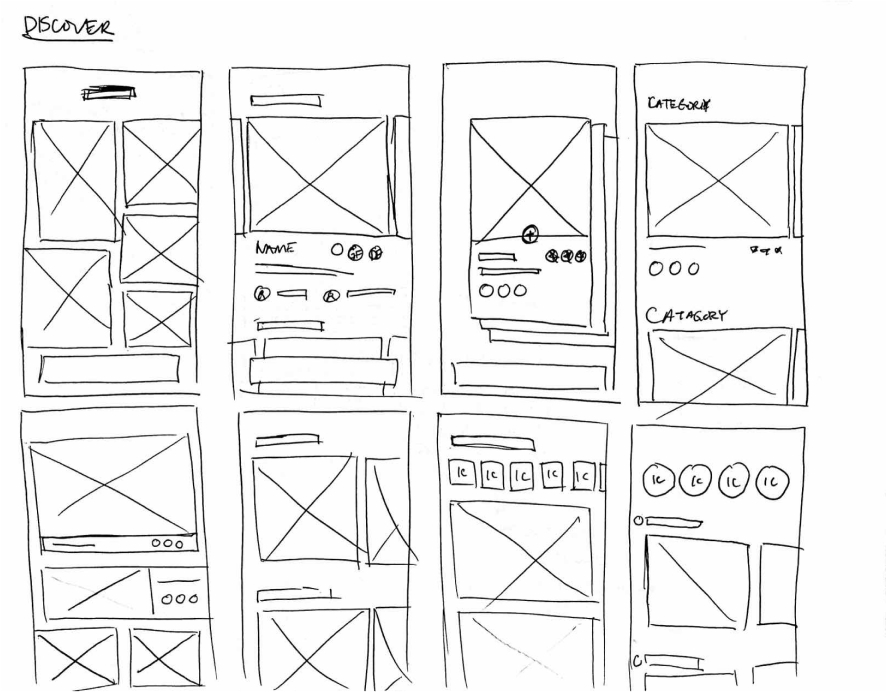
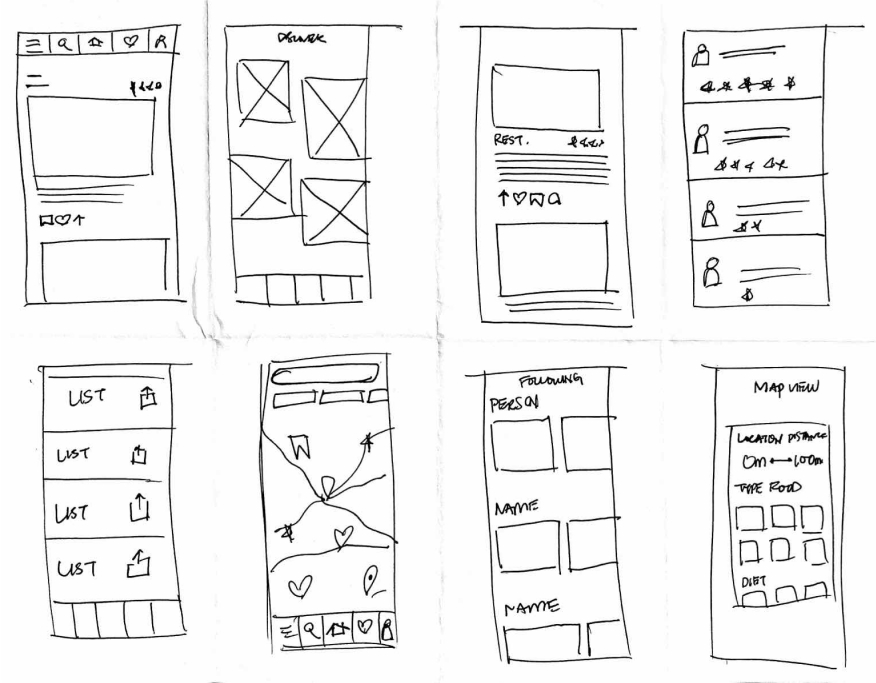
To kick-off the design process, quick sketches helped me get ideas on paper to establish which elements were necessary for each screen.
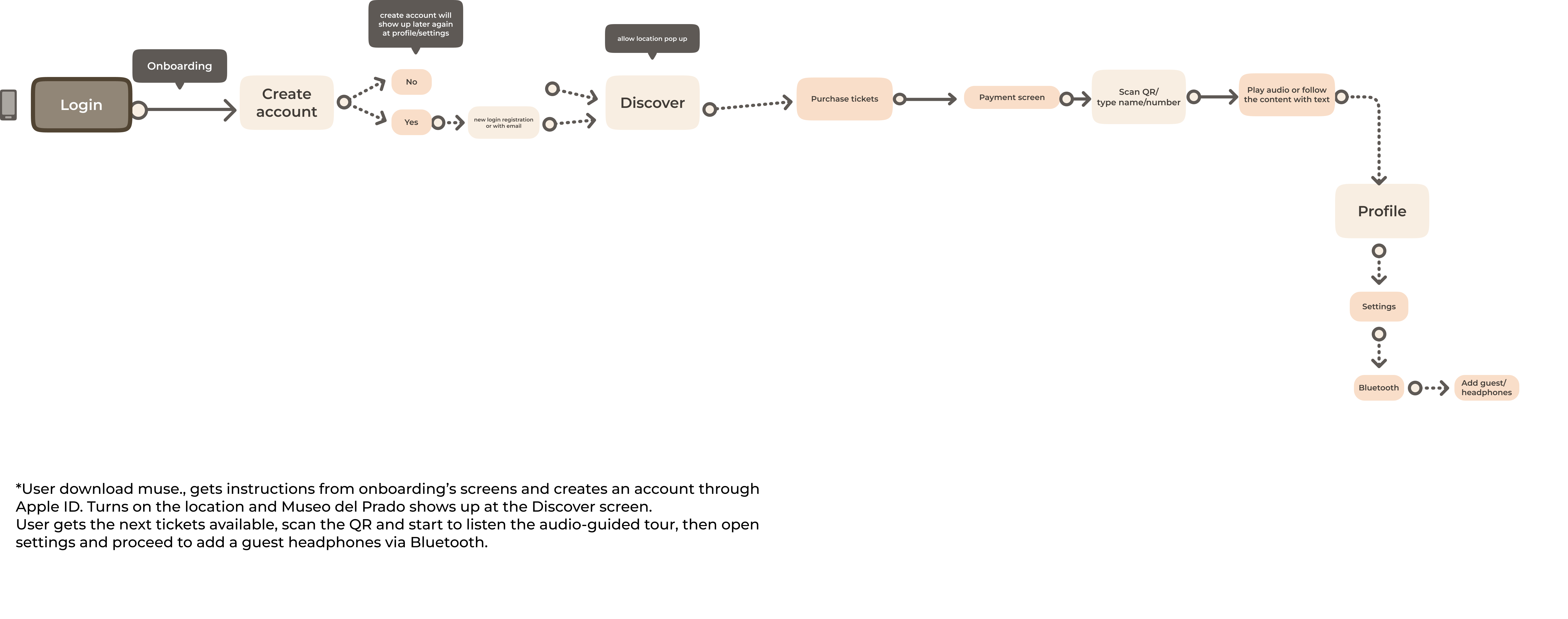
The primary user flow is the process of discover, scan and follow the tour successfully.
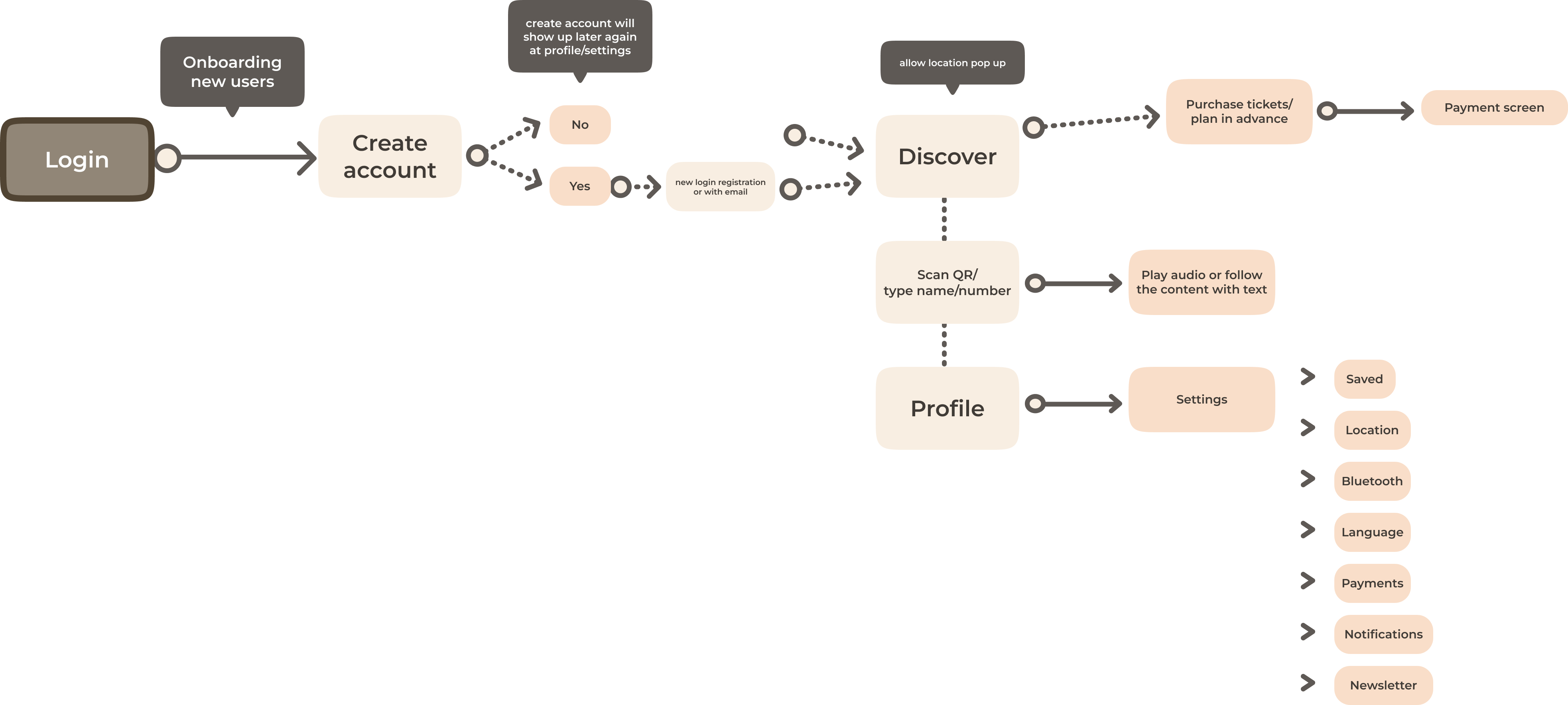
This simple information structure makes it easy to navigate and move through the features enjoying every experience around.
Low-fi sketches were done to get my initial thoughts on paper and brainstorm new ideas for specific UI elements.
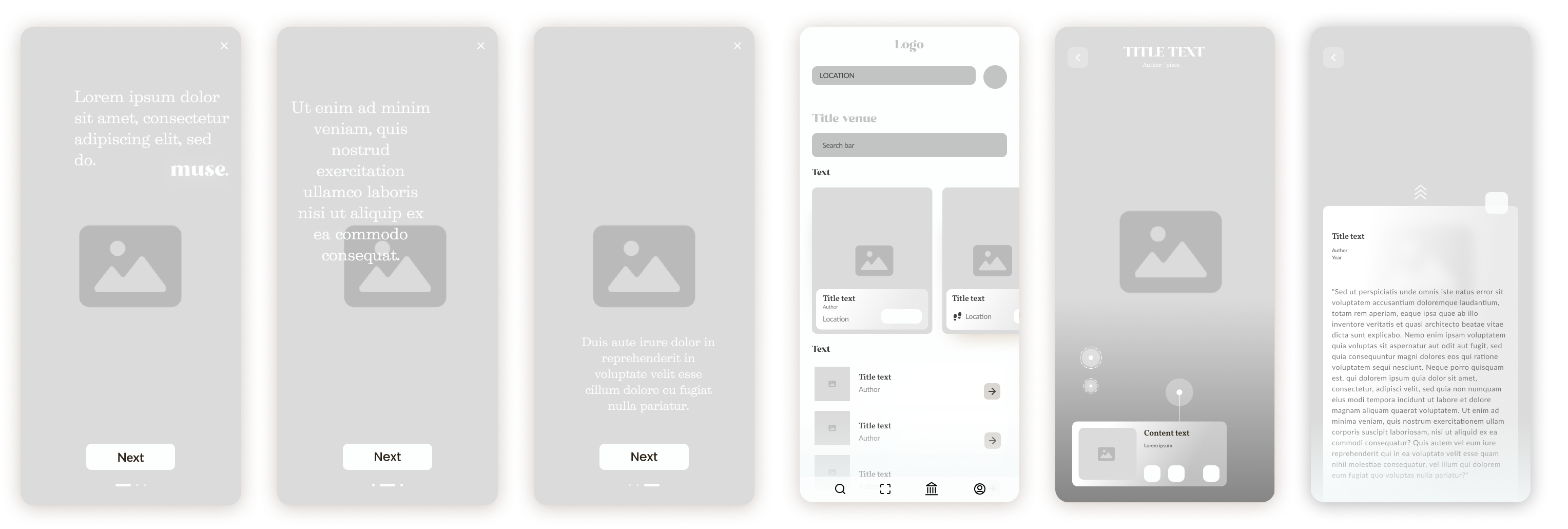
Using the feedback and insights gained from research, analysis and sketching, a how-fidelity prototype was created to begin user testing.
A usability study was conducted to determine where improvements could be made and identify new ideas to satisfy user expectations, needs, and desires.
Payment step for private venues was confusing.
Save option hidden and difficult to share with others.
Users who enjoy the experience with someone else might face issues like; low battery, non internet connection, etc.
Physical advertising at the museum's information points as a massive promotion and direct explanation to the user who doesn't know the app.
Remove multi-step process to share and safe and make them immediately visible
Add more than one user to the audio option via Bluetooth.
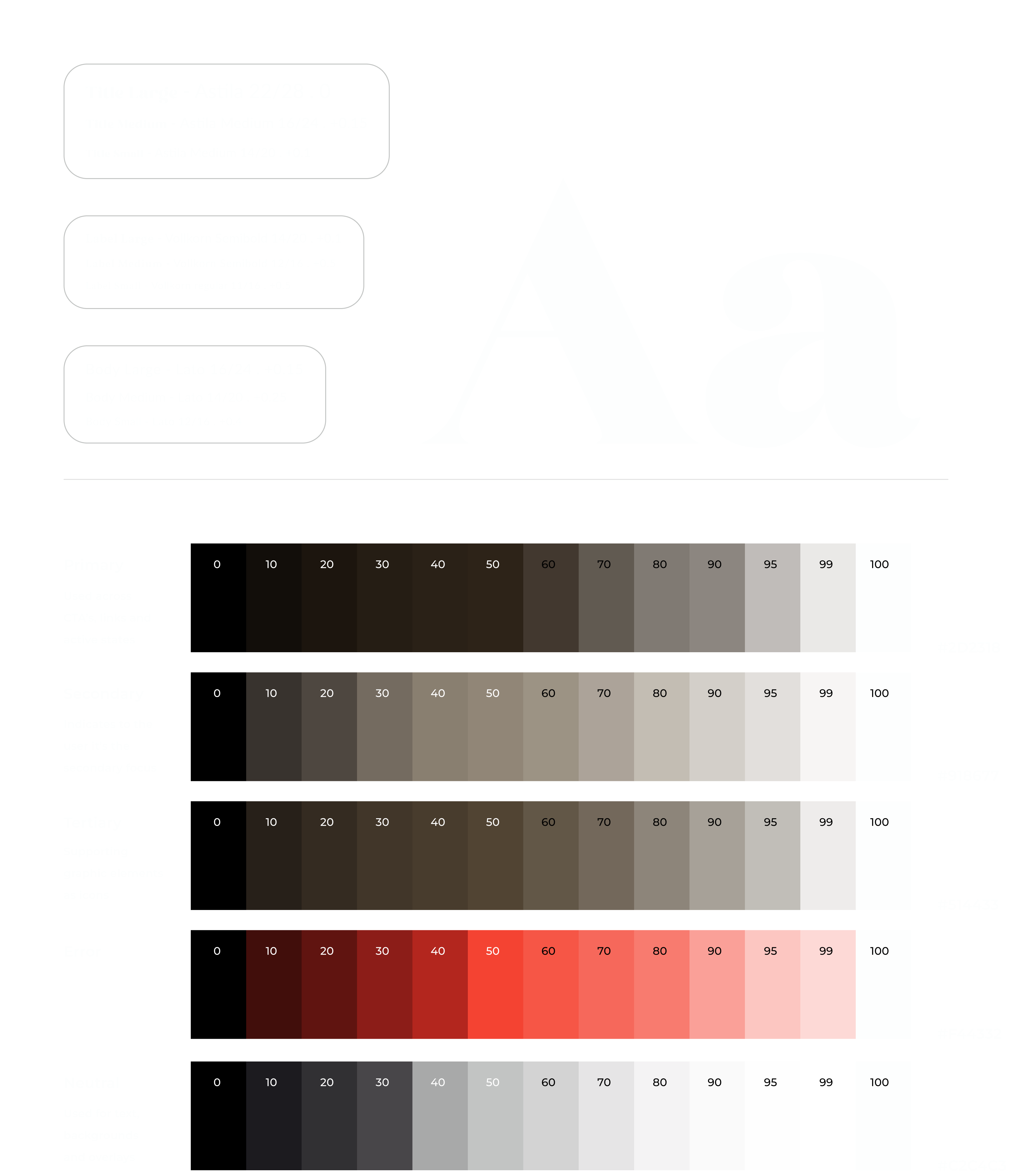
The UI design reflects the user's desire to have a clutter free, curated look and feel. The intention of muse. is to cover the content of the tour experiences of various entities.
muse. makes the process of enjoying a tour around an exhibition or museum in any city a great complete experience in your own device.
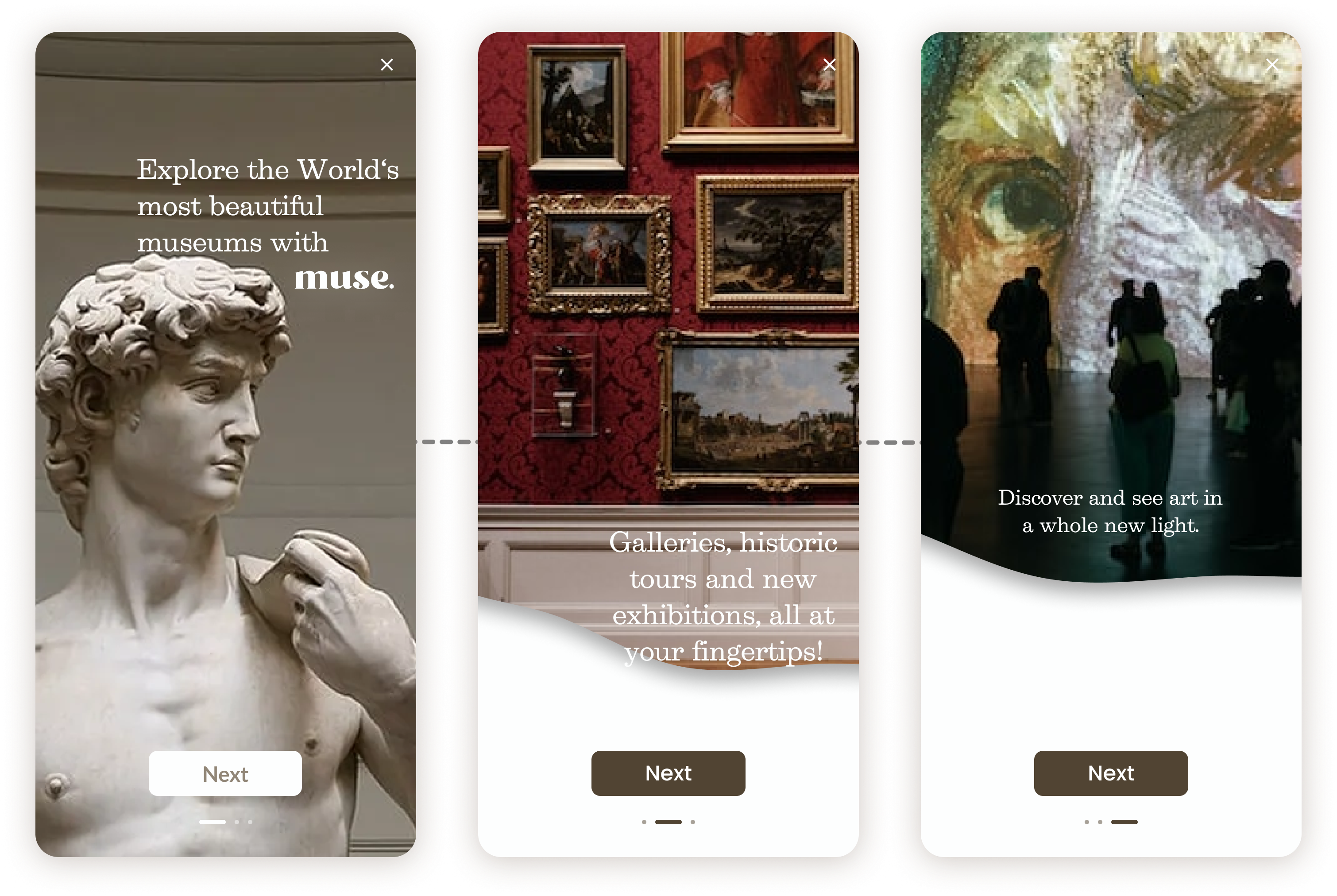
Intro screen and onboarding.
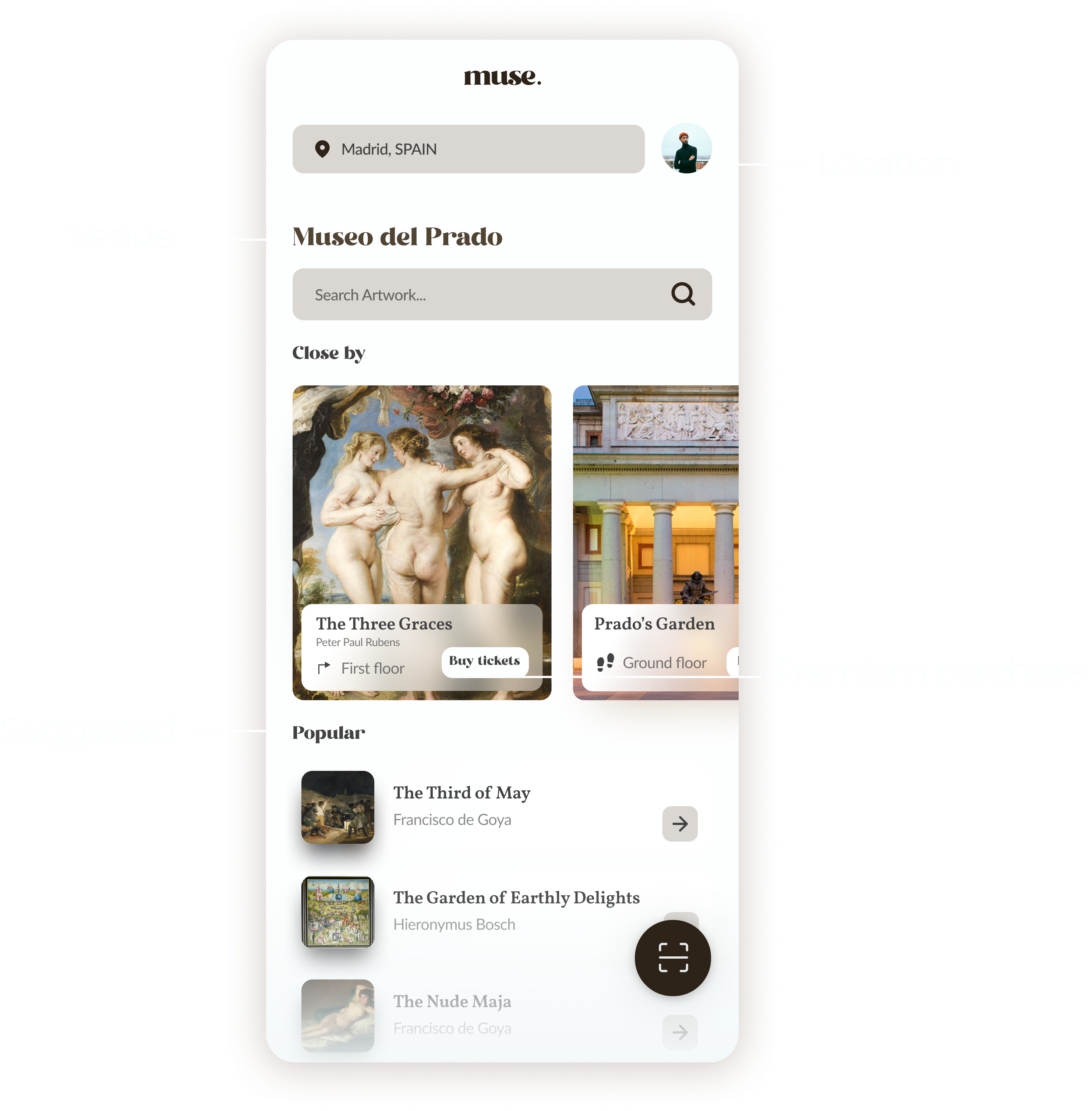
Explore the world's most beautiful and historically important museums with you own device. Allow location or search by the name of the venue. Get tickets or directly scan the QR next to the object to start the tour.
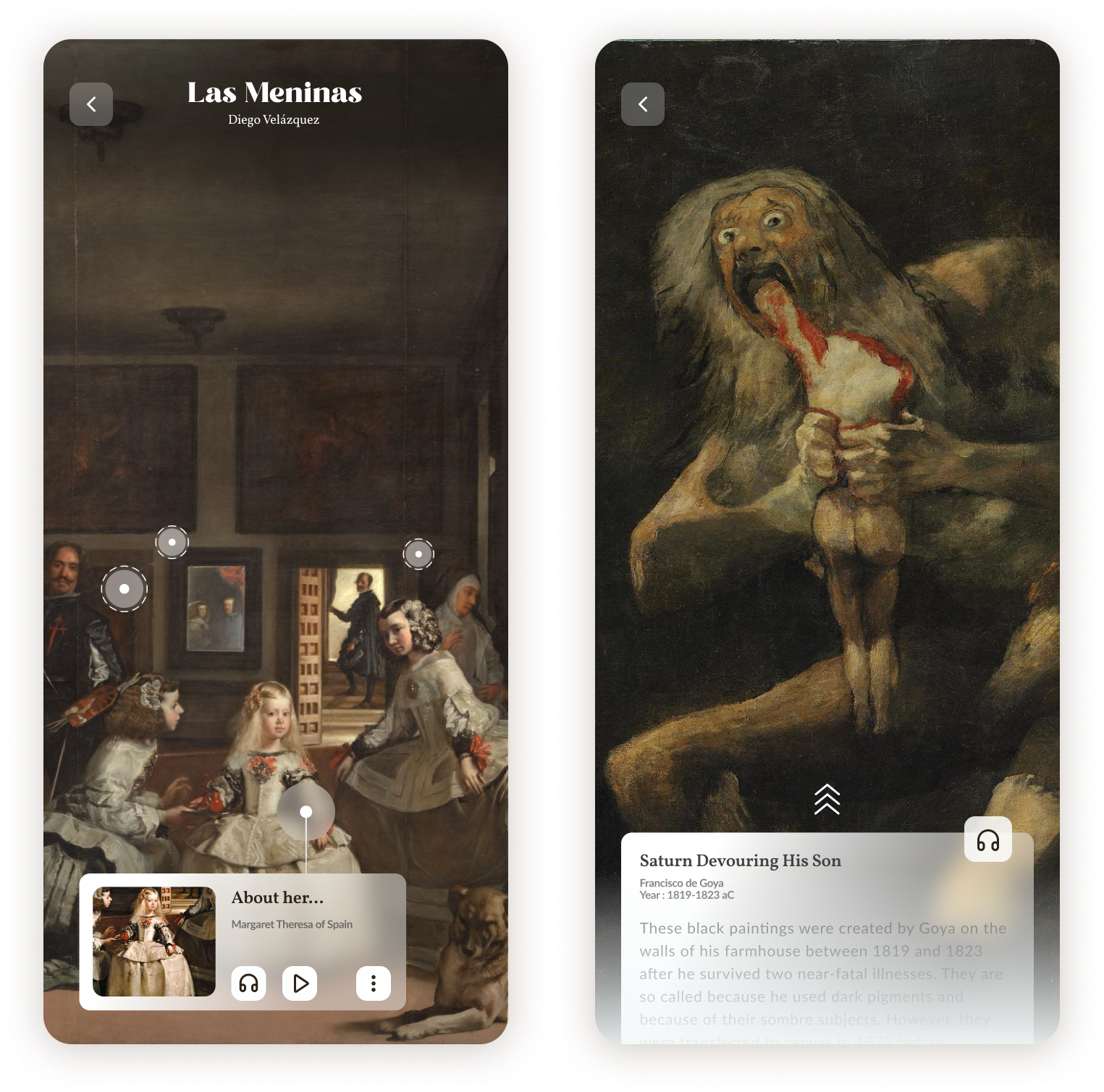
After finding or scanning the art object the user is able to listen and/or read the tour with all the detailed content marked in the screen.
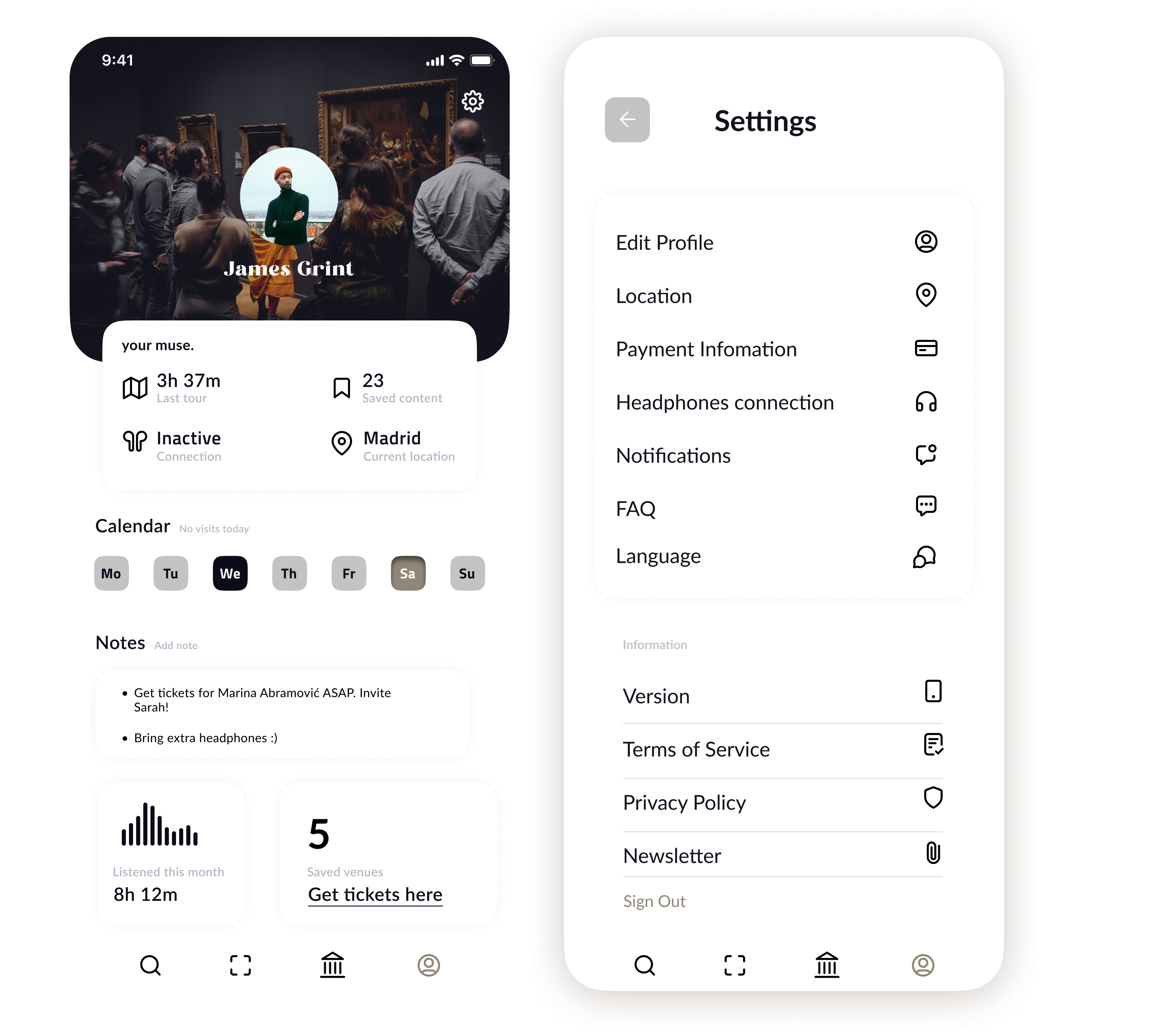
Profiles feature the app use, future visits, notes and shortcut to get tickets. Settings allows the user to modify some options.
All-in-one app.
Multiple headphones conection, ideal for two people.
Tailored and detailed experience, audioguided and transcribed.
Operates independently of updates to pandemic regulations.
No need to use other devices, just the smartphone.
Reliable source owned by the museum.